Find Jobs That Fit Your CV, Automatically
Upload your CV once. LoopCV's AI searches LinkedIn, Indeed, Glassdoor, and 30+ job platforms every day and builds a shortlist of roles that fit. Apply when you're ready.
Why use an AI job finder?
An AI job finder does the searching for you. Instead of opening many job sites and seeing the same job again and again, you get one list from many platforms. Each job appears once, shows where it came from, and is matched to your CV. You can hide companies you don't want, then apply yourself or let LoopCV apply for you.
How it works
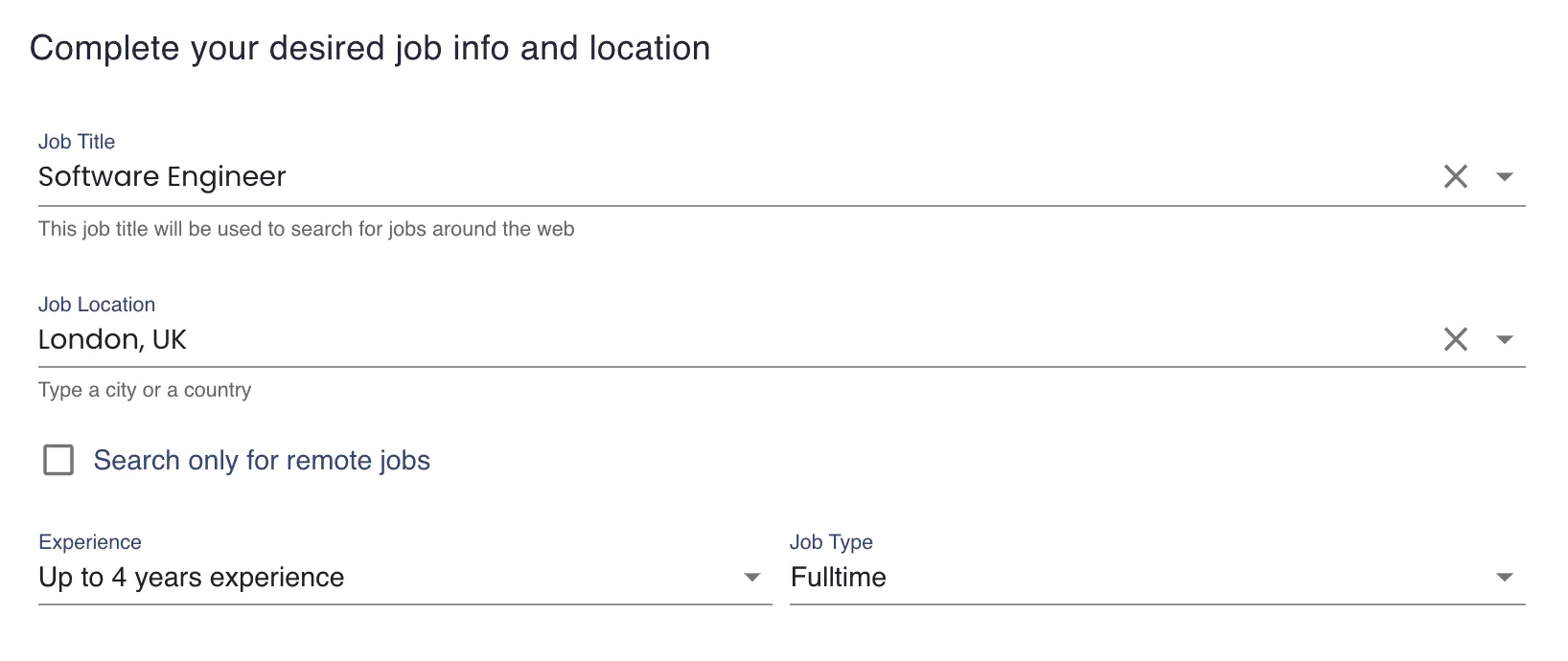
Step 1: Create a Loop
Upload your CV, then describe the job you want: title, location, keywords, seniority, and work type, such as remote or on-site. The more specific you are, the better your matches. A Loop is a saved search that keeps running for you.
Find my jobsStep 2: LoopCV searches every day
It scans LinkedIn, Indeed, Glassdoor, and 30+ platforms, merges the results into one dashboard, and shows where each job came from.
Find my jobs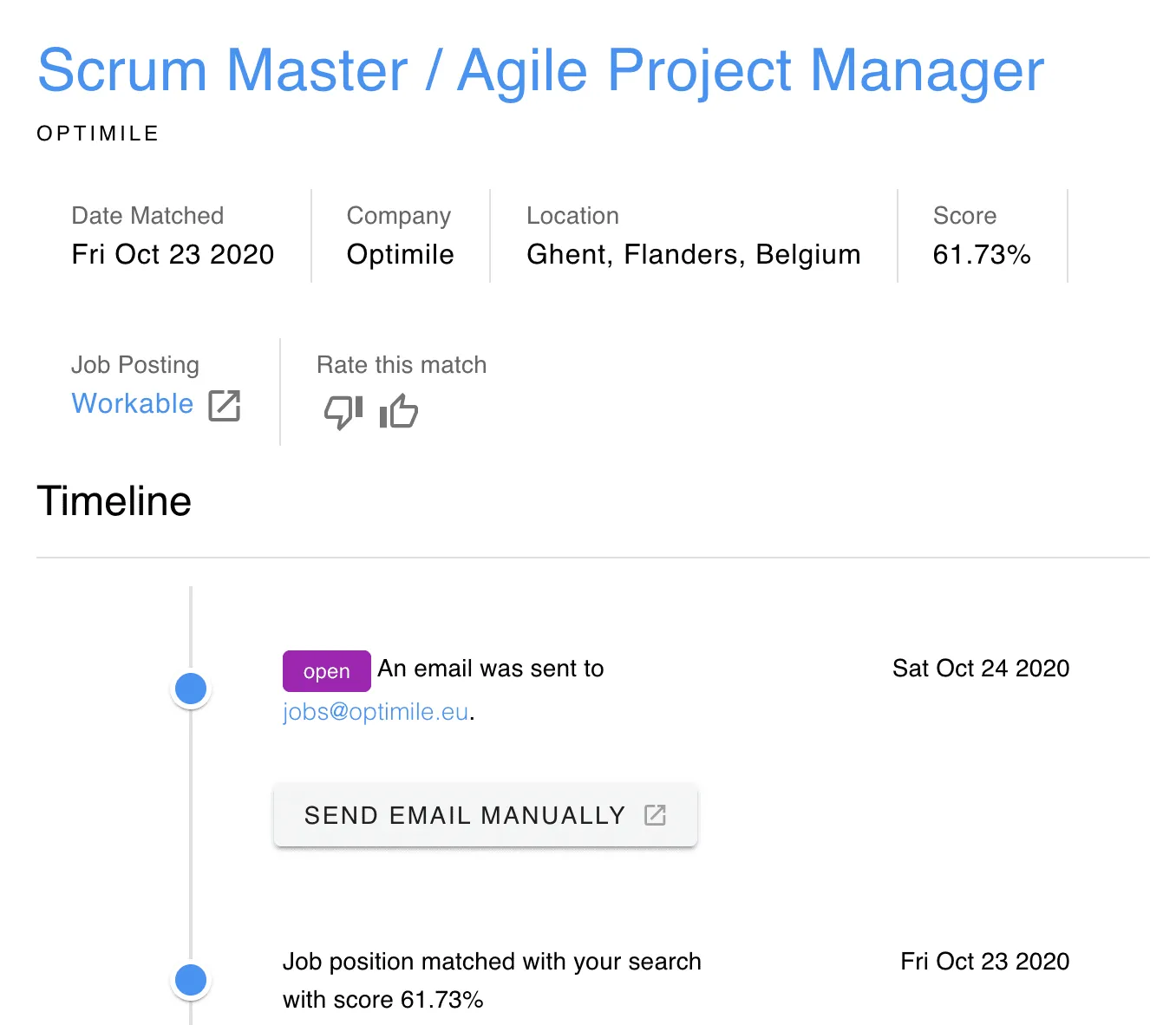
Step 3: Review your matches
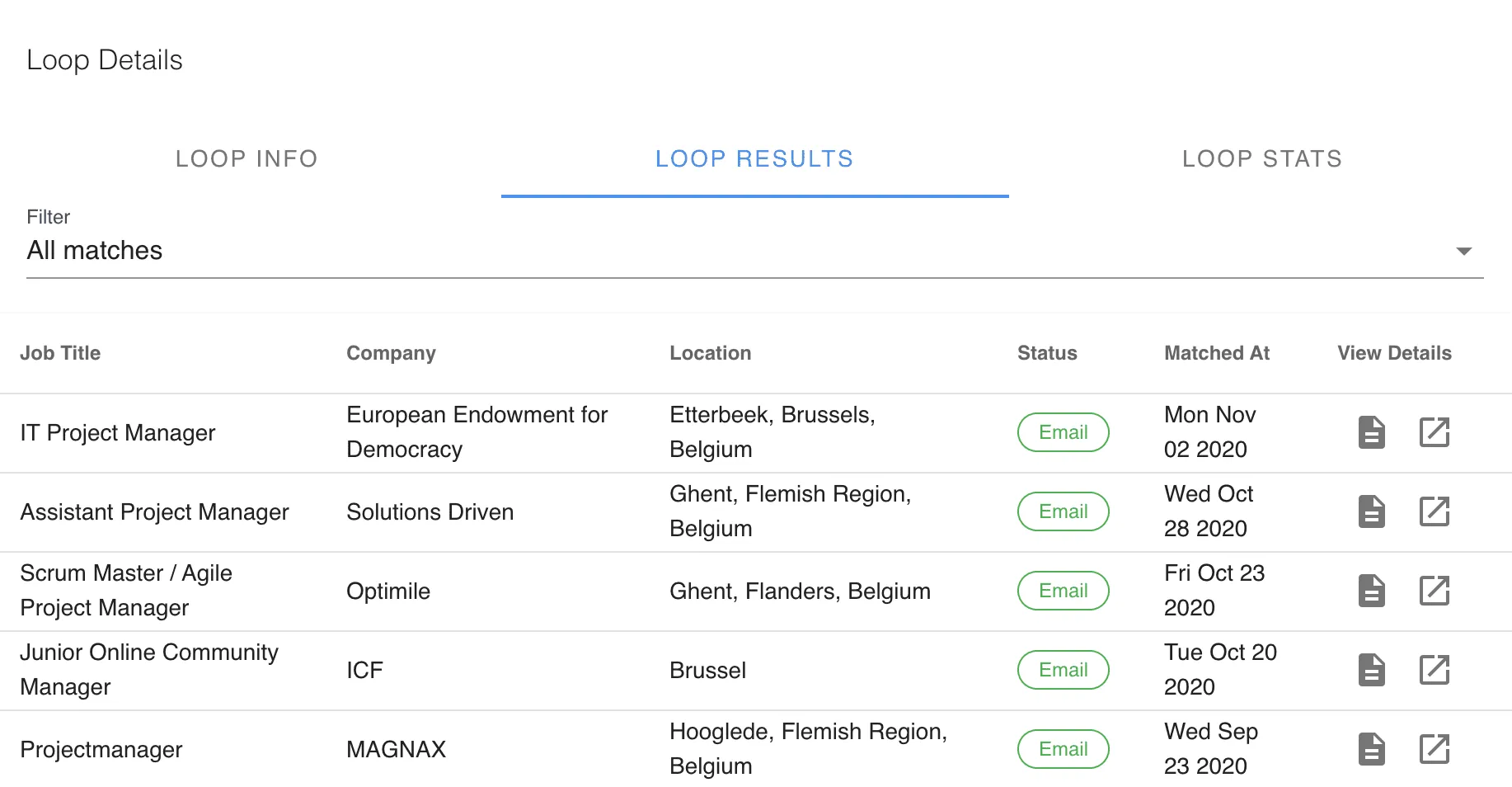
Open the All Matches tab, filter by platform, and exclude companies you don't want. Apply with one click when a job fits, or turn on Auto Apply if you'd rather not do it by hand.
Find my jobsFound a match? Here's what to do next
AI Job Finder FAQs
Common questions about finding jobs that match your CV. .
What does the job finder show me?
Every match once, with the job title, company, source platform, location, work type, and how well it matches your CV.
Where do the jobs come from?
We gather them through our work with 30+ job platforms across the globe, including LinkedIn, Indeed, and Glassdoor. You can see the source of each job and filter by platform.
Will I see the same job twice?
No. When a role is posted on several platforms, LoopCV shows it once and lists where it came from.
How do I narrow my results?
Filter by platform, and use Exclude Companies and Job Filtering to remove employers and roles you don't want.
What if my matches aren't relevant?
Edit your Loop. A clearer job title, location, seniority, and keywords give the best matches.
Can I find remote jobs?
Yes. Choose your work type when you create a Loop, such as remote or on-site.
Do I need to keep my computer on?
No. Your searches run on LoopCV's servers, so new matches arrive even when you're offline.
Is LoopCV free?
You can start free. Paid plans raise your monthly application and email limits.